IPTV Spain for Expats & Travelers: How to Watch Spanish TV Anywhere in Europe

Why IPTV Spain Is Popular Among Expats and Frequent Travelers
IPTV Spain is especially popular among expats and frequent travelers because it allows them to keep access to Spanish TV channels, sports, and entertainment no matter where they are in Europe. Traditional satellite or cable subscriptions are usually tied to a physical address, but IPTV works through an internet connection. That flexibility makes it ideal for people who split their time between countries or live outside Spain but still want familiar content.
For many Spanish expats living in Germany, France, the UK, or other parts of Europe, staying connected to home means more than just watching TV. It’s about following national news, watching La Liga, keeping up with local shows, and having access to Spanish-language content for the whole family. Instead of relying on limited international channel packages, an IPTV subscription can offer a more complete and familiar viewing experience. All that’s needed is a stable internet connection and a compatible device like a Firestick, Android TV, Smart TV, tablet, or smartphone.
Frequent travelers also benefit from this flexibility. Someone who spends part of the year in Spain and the rest in another European country does not want to manage multiple TV contracts. With IPTV, the same account can often be used on different devices in different locations, as long as the connection is stable. For business travelers or digital nomads, this means being able to log in on a Smart TV in a rental apartment or stream from a mobile device without changing subscriptions.
There is also a practical cost factor. Maintaining separate TV packages in different countries can become expensive and complicated. IPTV offers a more streamlined alternative: one subscription, multiple devices, and access across borders. The key for expats and travelers is choosing a provider with stable servers in Europe and reliable performance during peak hours. A service that works well inside Spain should also perform consistently when accessed from other EU countries, especially for live sports and high-demand events.
Quick takeaway:
- IPTV offers cross-border flexibility within Europe.
- Ideal for expats who want Spanish channels abroad.
- One subscription can often cover multiple locations and devices.
Accessing Spanish channels outside Spain
Accessing Spanish channels outside Spain is one of the main reasons people look for IPTV solutions. Traditional TV subscriptions are usually limited to one country and one address, which makes them impractical for expats, Erasmus students, remote workers, or retirees living abroad. With an internet-based service, Spanish live TV, sports, and entertainment can be streamed from almost anywhere in Europe, as long as the connection is stable.
For example, a Spanish family living in Germany may want to follow national news, weekend football matches, and popular entertainment shows. Instead of relying on scattered online streams or incomplete international packages, IPTV allows them to access familiar channels through a single subscription. The same applies to someone who spends half the year in Spain and half in another EU country. Rather than cancelling and reactivating different contracts, they can log in from their Firestick, Android TV, or Smart TV in either location.
However, not every service performs equally well outside Spain. When accessing Spanish channels from abroad, server stability becomes even more important. Distance, network routing, and peak-time demand can affect streaming quality. That’s why it’s essential to test performance during busy hours, especially for live sports. A provider that works perfectly in Madrid but struggles in Paris or Berlin may not be the right choice for frequent travelers.
Another key factor is device compatibility. Many expats stream on rental apartment Smart TVs, portable streaming sticks, or even tablets and laptops. A good IPTV service should allow easy login on multiple devices and maintain consistent performance across them. Before committing to a long-term plan, test from your actual location abroad, not just from Spain. Reliable cross-border performance is what turns IPTV from a convenience into a real long-term solution.
Quick checklist:
- Test from your country of residence, not only from Spain.
- Check live sports performance at peak time.
- Confirm smooth streaming on your preferred device.
- Avoid long-term plans until stability is proven.
Watching La Liga, news, and local content abroad
For many expats and frequent travelers, the main reason to look for IPTV Spain is simple: they don’t want to miss La Liga matches, national news, and familiar local programming while living outside the country. Sports, especially football, is often the biggest priority. When you move abroad, access to Spanish broadcasts becomes limited or fragmented. IPTV offers a practical way to stream live matches and sports coverage through an internet connection, without depending on local foreign TV packages that rarely include full Spanish coverage.
La Liga weekends are a perfect example. A Spanish family living in France or Germany may want to watch their team live every Saturday or Sunday, just as they would at home. Instead of searching for unofficial streams or paying for multiple subscriptions, they can log into their IPTV account on a Firestick or Android TV and follow the match in Spanish. The key is choosing a provider with stable servers that can handle high demand during peak match times. Sports events are when weak services usually fail.
News and regional content are just as important. Many expats rely on Spanish news channels to stay informed about politics, local developments, and cultural events. For older family members especially, familiar news anchors and programs provide a sense of connection to home. Regional channels also matter for people from specific areas who want local news and programming. IPTV makes it possible to keep that connection alive, even when living hundreds or thousands of kilometres away.
Local entertainment, talk shows, and series also play a role. Families with children may prefer Spanish-language content at home, even if they live abroad. The practical tip is to test both live channels and on-demand content before committing to a long-term plan. Check how the service performs during a live match and whether the EPG updates correctly. If La Liga streams smoothly and news channels load without delay, that’s a strong sign the service can support everyday viewing abroad.
Quick checklist for sports and news abroad:
- Test performance during real match times.
- Confirm Spanish commentary and channel availability.
- Check EPG accuracy for sports schedules.
- Verify stability from your current country.

How IPTV Spain Works Across Europe
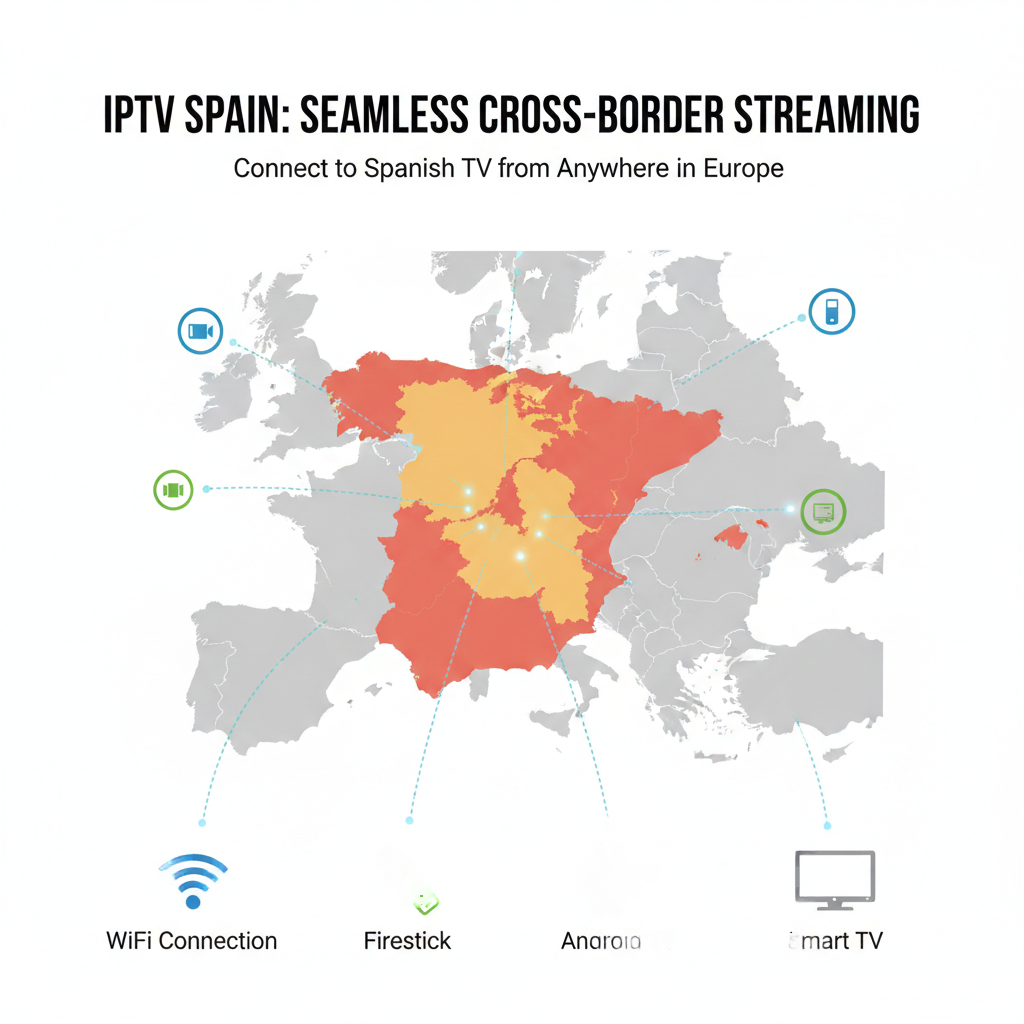
IPTV Spain works across Europe because it delivers television through internet servers rather than through satellite dishes or local cable infrastructure. Instead of being tied to a physical address in Spain, the service streams content online to your device. That means whether you are in Madrid, Berlin, Paris, or Rome, the main requirement is a stable internet connection and a compatible device. The location changes, but the login details and app stay the same.
In practical terms, when you open your IPTV app on a Firestick, Android TV, or Smart TV, the app connects to the provider’s servers and loads the channel list. Those servers distribute live channels and on-demand content over the internet. As long as the provider has strong server infrastructure and routing within Europe, the experience should feel similar across EU countries. This is why many expats rely on IPTV instead of traditional TV packages that stop working once you leave Spain.
However, performance can vary depending on distance, internet quality, and peak-time demand. For example, streaming a live football match from Germany may require more stable routing than streaming the same match inside Spain. If the provider’s servers are overloaded, buffering becomes more noticeable abroad. That is why choosing a service with proven stability across Spain and Europe is essential. Testing from your actual country of residence is always smarter than assuming it will work the same everywhere.
Another important factor is device optimisation. Some apps handle network changes better than others, especially when used in different countries or on different Wi-Fi networks. If you travel frequently, using a reliable IPTV player and testing it on multiple devices can prevent frustration. IPTV across Europe is not complicated, but it depends on three pillars: stable servers, solid internet, and a compatible app.
Quick decision guide:
- Use a stable internet connection (preferably 5GHz Wi-Fi).
- Test streaming from your current country, not only from Spain.
- Check performance during peak hours and live events.
- Choose apps known for stable playback across devices.
Internet-based streaming vs satellite limitations
The main difference between internet-based streaming and satellite TV is flexibility. Satellite television depends on a physical dish installed at a fixed address, while IPTV Spain delivers channels through an internet connection. That means satellite services are tied to one location, but internet streaming can move with you — across cities, countries, and devices. For expats and travelers in Europe, this difference changes everything.
Satellite TV works well when you stay in one place. Once installed, it can provide stable reception, especially in areas with limited broadband. However, it has clear limitations. You cannot easily take your satellite subscription from Spain to another country without installing a new dish and dealing with local regulations. Even then, signal strength, satellite coverage zones, and technical alignment can become obstacles. For someone living between Spain and Germany, or traveling frequently within Europe, satellite quickly becomes impractical.
Internet-based streaming removes those geographic limits. Instead of depending on satellite beams, the service connects to servers via broadband or fiber internet. Whether you’re in Madrid, Brussels, or Milan, you log into the same IPTV app and access the same channel list. The quality depends on server performance and internet stability rather than physical hardware on your balcony. For most modern households with solid Wi-Fi, this setup feels more natural and convenient.
There are, however, trade-offs to understand. Internet streaming depends on bandwidth and network routing. During peak hours, weak providers may struggle, while satellite is not affected by internet congestion. That’s why choosing a stable IPTV provider and testing during busy times is essential. For users who value mobility, multi-device access, and flexibility across Europe, internet-based streaming offers a clear advantage — as long as the service is reliable.
Quick comparison:
Satellite TV
- Fixed to one address
- Requires dish installation
- Limited portability
Internet IPTV
- Works across Europe
- No physical installation
- Accessible on multiple devices
What you need: device, app, and stable connection
To use IPTV Spain successfully across Europe, you only need three things: a compatible device, a reliable IPTV app, and a stable internet connection. If these three elements work together, the experience feels smooth and similar to traditional TV. If one of them is weak, you’ll likely face buffering, login errors, or EPG problems. The setup itself is not complicated — it’s about choosing the right tools and testing properly.
First, the device. Most users stream on Firestick, Android TV, Smart TVs, tablets, or smartphones. Firestick and Android TV devices are especially popular because they handle IPTV apps well and are easy to carry between locations. For expats or frequent travelers, a small streaming device is often more reliable than relying solely on built-in Smart TV apps, which can vary in performance. If you move between apartments or countries, bringing your own device ensures consistency.
Second, the app. The IPTV app is what connects your subscription to the TV screen. Not all apps perform equally across devices or networks. Some handle EPG data better, others manage buffering more efficiently. Choosing a stable player can make a noticeable difference, especially when streaming live sports or watching during peak hours. Before committing long-term, test the app with your subscription on your real device and network. Stability in one country does not always guarantee identical performance in another.
Third, the internet connection. IPTV relies entirely on broadband or fiber internet. A strong, stable connection is more important than extremely high speed. In most European households, standard broadband is enough, but Wi-Fi quality matters. Using 5GHz Wi-Fi, keeping the router close to the device, or using a wired connection can significantly reduce buffering. If streaming feels unstable, always test your connection before blaming the provider.
Quick setup essentials:
- Compatible streaming device (Firestick, Android TV, Smart TV).
- Reliable IPTV app installed and configured correctly.
- Stable internet connection with strong Wi-Fi signal.
When these three components are aligned, IPTV works smoothly whether you are in Spain or elsewhere in Europe.
Choosing the Right IPTV Spain Subscription for International Use
Choosing the right IPTV Spain subscription for international use means focusing on stability across borders, device compatibility, and realistic testing before committing long-term. A service that works well inside Spain does not automatically guarantee the same performance in Germany, France, or other European countries. For expats and frequent travelers, reliability across different networks is the most important factor — even more than the total number of channels offered.
First, check server stability and routing within Europe. When streaming from outside Spain, your connection travels through different networks before reaching the provider’s servers. If the provider has weak infrastructure or overloaded systems, buffering becomes more noticeable abroad, especially during live sports events. A smart approach is to test the service from your actual country of residence during peak evening hours. If La Liga streams smoothly at match time and channel switching feels fast, that’s a strong signal of good cross-border performance.
Second, confirm device compatibility in real conditions. Many international users rely on portable devices like Firestick or Android TV sticks when moving between apartments or countries. Others use Smart TVs in rental homes. The service should perform consistently on your main device, not just “in theory.” If the app crashes, EPG fails to load, or channels take too long to start, the issue may be device-specific rather than country-specific. Testing on your real hardware is essential before upgrading to a long-term plan.
Third, consider flexibility in subscription length. For international use, monthly plans are often safer than yearly commitments. Living abroad can involve changing internet providers, moving apartments, or switching devices. A shorter plan reduces risk while you confirm long-term stability. Once performance is consistent across your locations, upgrading becomes a more confident decision.
Quick decision checklist:
Start monthly before committing long-term.
Test streaming from your current country during peak time.
Confirm stable sports performance and fast channel switching.
Verify smooth playback on your main device.
Server stability across Spain and Europe
Server stability is the single most important factor when using IPTV Spain across different European countries. No matter how good the channel list looks, if the servers cannot handle peak traffic or international routing, the experience will quickly become frustrating. Stable servers ensure smooth streaming, fast channel switching, and minimal buffering — especially during high-demand moments like live football matches or major news events.
When you stream from Spain, your connection usually travels a shorter and more direct route to the provider’s servers. From other European countries, the data may pass through additional networks before reaching you. If the provider’s infrastructure is well-optimized across Europe, you won’t notice much difference. If it’s weak or overloaded, buffering becomes more frequent abroad, particularly in the evening when most users are watching. This is why expats and travelers should always test from their actual location, not just assume performance will be identical everywhere.
A realistic example: a user in Madrid may experience smooth playback at 9 PM, but the same service could struggle at the same time in Amsterdam if the servers are near capacity. Strong providers distribute traffic effectively and maintain consistent performance across Spain and other EU countries. Weak providers often collapse during sports events or prime-time entertainment. Stability is not about marketing claims — it’s about how the service performs under real pressure.
To evaluate server stability, test live channels for at least 20–30 minutes during peak hours. Switch between multiple channels quickly and monitor whether streams load instantly or stall. If possible, test a live sports event, as this is when traffic spikes. Consistent performance across different devices and networks is a strong indicator of reliable infrastructure. Choosing a provider with proven stability across Europe reduces the risk of ongoing buffering and login issues.
Quick stability checklist:
- Test at peak evening hours.
- Switch channels rapidly to check response time.
- Stream a live sports event to test server load.
- Compare performance across devices if possible.
Device Compatibility: Firestick, Android TV, Smart TVs
Device compatibility is just as important as server stability when choosing an IPTV Spain subscription for use across Europe. A service may look perfect on paper, but if it does not run smoothly on your specific device, the experience will suffer. Firestick, Android TV, and Smart TVs are the most common setups, yet they do not perform equally in real-world conditions.
Firestick is often the most reliable option for many households. It is affordable, portable, and optimized for streaming apps. For expats and frequent travelers, this portability is a major advantage. You can bring your Firestick between Spain and other European countries, plug it into any compatible TV, log in, and continue watching. Because Firestick runs a dedicated streaming system, IPTV apps generally perform more consistently compared to older Smart TV operating systems.
Android TV devices and boxes offer even more flexibility. They allow you to test different IPTV players, adjust playback settings, and switch apps if one performs poorly. This flexibility can be helpful when streaming live sports or high-demand content during peak hours. If one app struggles with EPG loading or buffering, Android TV often gives you alternative player options without changing your subscription. For users who want more control and customisation, Android TV is a strong choice.
Smart TVs are convenient because everything is built in, but performance varies significantly by brand and model. Newer Smart TVs can handle IPTV apps smoothly, while older models may struggle with channel loading times or EPG updates. If streaming feels unstable on a Smart TV, the issue may not be the provider but the device’s processing power. In many cases, adding a Firestick or Android TV device improves performance immediately.
Quick device checklist:
Avoid long-term plans before testing on your real setup.
Confirm the service works well on your exact device model.
Test live channels and EPG performance.
Consider using a portable streaming device if you travel.
Monthly vs long-term plans for travelers
For travelers and expats, monthly plans are usually the safer and smarter starting point compared to long-term subscriptions. When you use IPTV Spain across different countries, variables like internet providers, Wi-Fi quality, and device changes can affect performance. Committing to a yearly plan before testing stability in your real environment increases risk. A shorter plan gives you flexibility while you confirm that everything works consistently.
Travelers often move between apartments, cities, or even countries within Europe. A service that works perfectly in Barcelona might behave differently in Brussels due to routing, network congestion, or ISP differences. With a monthly subscription, you can test the service in each location without feeling locked in. If streaming remains stable during peak hours and live sports events, then upgrading to a longer plan becomes a confident decision rather than a gamble.
Long-term plans can offer better pricing, but they only make sense once reliability is proven. If buffering appears regularly during evening hours, or if the EPG fails in your primary device setup, a yearly commitment becomes frustrating. The smart approach is simple: test first, upgrade later. Especially for digital nomads, Erasmus students, or seasonal residents, flexibility is more valuable than a small discount.
Another consideration is lifestyle changes. You might switch from a Smart TV app to a Firestick, move to a new internet provider, or change apartments. Monthly access allows you to adapt without financial pressure. Once you confirm stable performance across your devices and locations, choosing a longer plan can reduce overall cost while maintaining confidence in the service.
Quick decision rule:
- Start with a monthly plan.
- Test in real peak-time conditions.
- Confirm stability across countries and devices.
- Upgrade only after consistent performance.
Common Issues When Using IPTV Spain Abroad
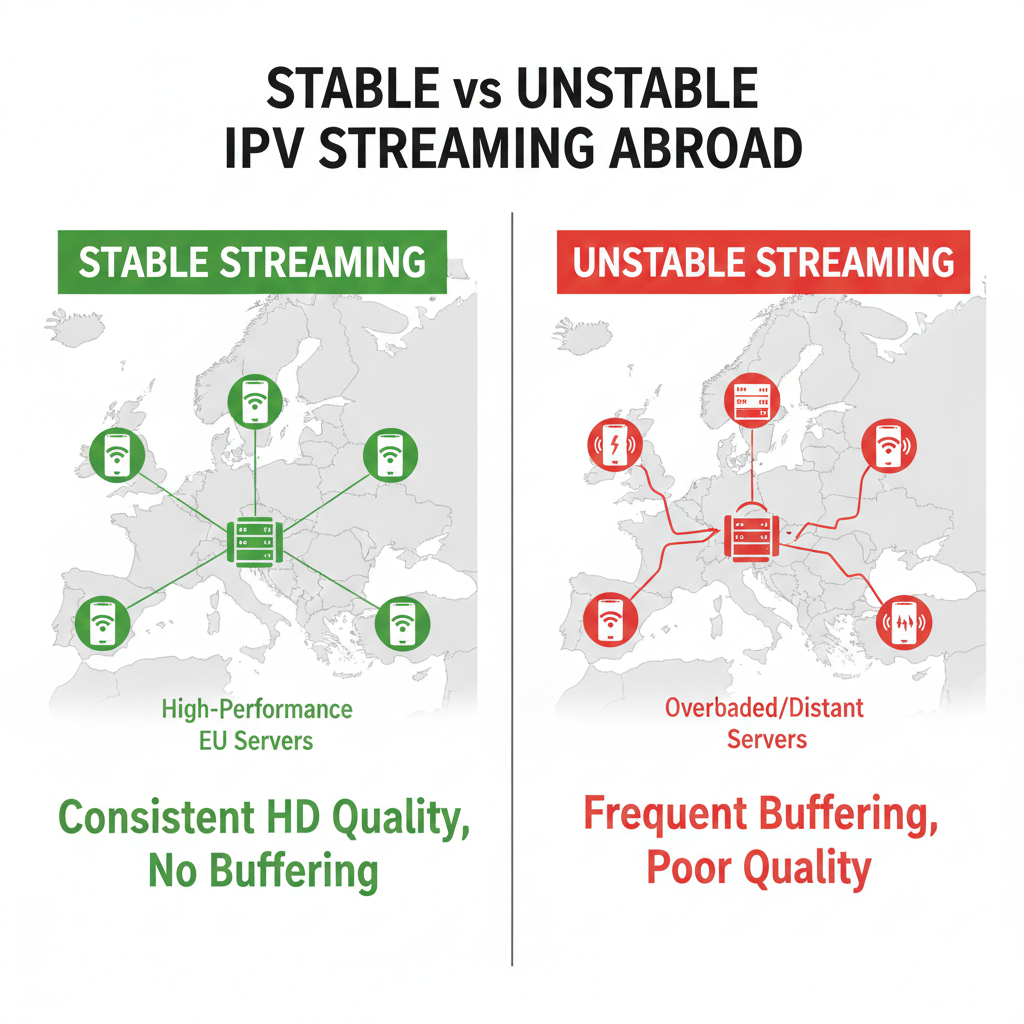
Using IPTV Spain abroad usually works well, but a few common issues appear more frequently outside Spain than within it. The most typical problems are buffering during peak hours, channels failing to load, EPG data not updating correctly, or login errors when switching networks. These issues are rarely random — they are usually linked to server load, internet quality, or device limitations in the new location.
Buffering is the most reported complaint. When streaming from another European country, your connection may take a longer route to reach the provider’s servers. If the service is not optimized for cross-border traffic, live channels — especially sports — may freeze or lose quality during busy hours. A practical example: a match may stream smoothly in Madrid but stutter in Munich at the same time due to different network routing. Testing during real peak hours in your current country is the best way to detect this early.
EPG problems are also common abroad. Sometimes the channel loads, but the program guide remains empty or shows incorrect schedules. This can happen if the app struggles to sync EPG data across networks or if the device is not fully compatible. Restarting the app, refreshing the EPG, or testing another IPTV player often solves the issue. If the problem persists across devices, it may indicate a provider-side issue rather than a local one.
Login and authentication errors can appear when changing internet providers or frequently moving between locations. Some systems may temporarily block access after detecting multiple IP changes. If this happens, contacting support usually resolves it quickly. To reduce risk, avoid constantly switching between many devices at once, and test your main setup carefully before relying on it for important live events.
Quick troubleshooting checklist:
- Test streaming during peak hours in your country.
- Refresh or reload the EPG if schedules do not appear.
- Restart your device and router before assuming server failure.
- Contact support if login errors persist after network changes.
Buffering due to distance or ISP restrictions
Buffering when using IPTV Spain abroad is often caused by two main factors: physical distance from the provider’s servers and restrictions or traffic management by your internet service provider (ISP). Even if your internet speed looks good on paper, routing quality and network congestion can still affect live streaming performance, especially during peak hours or sports events.
When you stream from outside Spain, your data may travel through multiple networks before reaching the IPTV servers. The longer and more complex the route, the higher the chance of delays or instability. For example, a user watching from Portugal may experience smoother playback than someone streaming from Scandinavia, simply because of shorter routing paths. If the provider’s infrastructure is optimized for Spain but not for wider European traffic, buffering becomes more noticeable the farther you are.
ISP restrictions can also play a role. Some internet providers manage traffic differently during busy evening hours. If streaming performance drops consistently at the same time each night, it may not be the IPTV service alone. In certain cases, ISPs prioritize other types of traffic, which can lead to unstable live TV playback. A quick test is to switch from Wi-Fi to a wired connection or try a different network temporarily. If performance improves immediately, the issue is likely local rather than server-related.
To reduce buffering risk, focus on three practical steps. First, use a stable internet connection with strong Wi-Fi or, ideally, an Ethernet cable. Second, test performance during real peak times in your current country, not only in Spain. Third, avoid running heavy downloads or streaming on multiple devices simultaneously. If buffering persists even after these checks, the provider’s European routing capacity may not be strong enough for consistent cross-border streaming.
Quick action checklist:
- Test at evening peak hours.
- Try wired connection instead of Wi-Fi.
- Restart router and device before testing again.
- Compare performance on another network if possible.
EPG problems and login errors
EPG problems and login errors are two of the most common issues users face when streaming IPTV Spain abroad. While buffering is often related to internet speed or server load, EPG and authentication errors are usually connected to app configuration, device compatibility, or network changes. The good news is that in many cases, these problems can be solved quickly without technical expertise.
EPG (Electronic Program Guide) issues typically appear as empty schedules, incorrect program times, or guides that fail to load completely. You may see channels working perfectly, but no information about what is currently playing. This often happens when the app fails to refresh EPG data properly, especially after switching countries or internet networks. Restarting the app, clearing cache (on Android-based devices), or manually refreshing the EPG inside the app settings can often solve the issue. If the guide works on one device but not another, the problem is usually app-related rather than provider-related.
Login errors are another frequent concern, particularly for expats and travelers who change networks often. When you move from Spain to another European country, your IP address changes. Some systems temporarily block or flag multiple IP changes as a security measure. This can result in “invalid login” messages even if your username and password are correct. In most cases, restarting the router or contacting support resolves the issue quickly. It’s also important to avoid sharing login details across multiple locations at the same time, as simultaneous usage may trigger account limits.
To reduce the risk of EPG and login problems, keep your setup simple. Use one main device, avoid constantly reinstalling different IPTV apps, and ensure your login details are entered correctly. If issues appear, test the same account on another device or network before assuming the subscription is faulty. Stability often depends on small configuration details rather than major technical failures.
Quick troubleshooting steps:
- Restart the IPTV app and refresh the EPG.
- Reboot your device and router after network changes.
- Double-check login details for typing errors.
- Test the account on another device if problems persist.
Best Apps for Watching IPTV Spain Outside Spain
The best apps for watching IPTV Spain outside Spain are those that combine stable playback, reliable EPG loading, and smooth performance across different European networks. When streaming abroad, the app you choose can make a noticeable difference. Even with a strong subscription, a poorly optimized player can cause buffering, slow channel switching, or login errors. For expats and frequent travelers, app stability is just as important as server quality.
On Firestick, lightweight and well-optimized IPTV players tend to perform best. Firestick devices are popular because they are portable and easy to plug into any TV across Europe. A good IPTV app on Firestick should load channels quickly, refresh the EPG automatically, and handle live sports without freezing. If an app feels slow or crashes during peak hours, testing an alternative player on the same device can immediately improve performance without changing your subscription.
Android TV offers more flexibility. Many IPTV apps on Android TV allow custom playback settings, buffer adjustments, and alternative media players. This can be useful when streaming from outside Spain, where routing differences might affect stability. For example, adjusting buffer size or switching decoding options can reduce stuttering during high-demand events. For users who want more control, Android TV apps often provide a smoother experience than basic Smart TV apps.
Smart TV apps can work well, but results vary depending on brand and operating system. Some newer models handle IPTV apps smoothly, while older models struggle with EPG updates or slow channel loading. If you frequently move between locations, relying solely on built-in Smart TV apps may not be ideal. In many cases, using a portable device like Firestick or Android TV ensures consistent performance across Spain and other European countries.
Quick app selection tips:
- Choose apps known for stable EPG performance.
- Test live sports and peak-time streaming.
- Compare performance on different devices.
- Avoid switching apps constantly unless troubleshooting.
Apps that perform well on Firestick and Android TV
Apps that perform well on Firestick and Android TV are those that prioritize stable playback, fast channel loading, and reliable EPG synchronization. When using IPTV Spain across different European countries, the player app becomes a critical part of the experience. Even with a strong internet connection and solid servers, a poorly optimized app can cause freezing, slow navigation, or missing guide data.
On Firestick, lightweight IPTV players generally perform best. Firestick devices have limited hardware resources compared to high-end Android boxes, so choosing an app that is optimized for speed and low memory usage is essential. A good app should launch quickly, switch channels in a few seconds, and load the EPG without long delays. For example, when watching a live football match abroad, the app should handle peak-time traffic without crashing or restarting unexpectedly.
Android TV offers more flexibility and customization. Many IPTV apps on Android TV allow you to adjust playback settings, change video decoders, and tweak buffer size. These options can be useful when streaming from outside Spain, where routing differences may slightly affect performance. If one app struggles during live sports, testing another IPTV player on the same device can often resolve the issue without changing your subscription.
In real-world use, consistency matters more than advanced features. An app that looks visually impressive but struggles with EPG updates or login stability is not ideal for daily use. Travelers and expats benefit from choosing one reliable IPTV app and keeping the setup simple. Testing live channels, switching quickly between categories, and checking guide accuracy are practical ways to evaluate performance before committing long-term.
Quick app performance checklist:
- Fast startup and channel switching.
- Stable playback during live sports.
- Reliable EPG loading and updates.
- Smooth performance without frequent crashes.
Why app choice matters for stability
App choice matters for stability because the IPTV player is the bridge between your subscription and your screen. Even if the provider’s servers are strong and your internet connection is fast, a poorly optimized app can still cause buffering, freezing, delayed channel switching, or EPG errors. For users streaming IPTV Spain across Europe, the app often determines whether the experience feels premium or frustrating.
Different apps handle video decoding, buffering, and network changes in different ways. Some players are lightweight and optimized for devices like Firestick, while others are more demanding and better suited for Android TV boxes. For example, one app may load live sports instantly, while another takes several seconds to start the same channel. During peak hours, these differences become more noticeable, especially when streaming from outside Spain where routing may already add slight delays.
Another important factor is EPG synchronization. A stable app should refresh program guide data automatically and display correct schedules. If the guide fails to load or shows outdated information, the problem is often app-related rather than server-related. Switching to a better-optimized IPTV player can immediately fix guide issues without changing the subscription itself. This is why experienced users test more than one app before committing to long-term use.
App stability also affects login reliability. Some apps manage authentication better when users change networks or travel between countries. If login errors appear after moving from Spain to another EU country, testing the same account in a different IPTV app can help identify whether the issue is app-specific. Keeping the setup simple — one reliable device and one stable app — reduces long-term problems.
Quick stability checklist:
- Choose apps optimized for your device.
- Test live sports and peak-time streaming.
- Confirm EPG loads correctly and updates automatically.
- Avoid switching apps constantly unless troubleshooting.
Final Checklist Before Buying IPTV Spain for Use in Europe
Before buying IPTV Spain for use in Europe, you should confirm that the service works reliably outside Spain, not just that it offers a long channel list. Expats and travelers often focus on content first, but stability across borders, device compatibility, and flexible plans are what determine long-term satisfaction. A short pre-purchase check can prevent months of frustration.
Start by testing performance from your actual country of residence. If possible, use a trial or short-term plan and stream during peak evening hours. Watch a live sports event, switch between channels quickly, and observe loading times. Smooth playback during busy periods is one of the clearest indicators of strong server infrastructure across Europe. If buffering appears immediately under normal conditions, it is unlikely to improve later.
Next, verify device compatibility. Confirm that the service runs smoothly on your specific setup — whether that is Firestick, Android TV, or a Smart TV. Test EPG loading, channel navigation, and login stability. If the app crashes, fails to load the guide, or logs you out after changing networks, these are warning signs. A service should feel stable on your main device before you consider a long-term commitment.
Finally, evaluate flexibility and support. Monthly plans are usually safer for international users, especially if you move frequently or change internet providers. Ask support a simple, practical question before paying and evaluate the response time and clarity. Transparent communication before purchase often reflects how issues will be handled later.
Quick final checklist:
- Test from your current European location.
- Stream live sports during peak hours.
- Confirm stable EPG and fast channel switching.
- Verify smooth performance on your device.
- Start with a monthly plan before upgrading.
Making a careful decision at the beginning ensures that your IPTV experience remains stable and enjoyable across Spain and the rest of Europe.
5 key checks for expats and travelers
If you live outside Spain or move frequently across Europe, there are five key checks you should complete before choosing an IPTV Spain subscription. These checks focus on stability, flexibility, and real-world performance — not just channel numbers or marketing claims. For expats and travelers, cross-border reliability is the real priority.
1. Test from your actual country of residence.
Do not rely on promises that the service “works everywhere.” Use a trial or short plan and stream from your current location. Watch during peak evening hours and test live sports if that matters to you. Performance during normal daytime hours is not enough to judge stability abroad.
2. Confirm server stability under pressure.
Switch quickly between channels and monitor loading times. A strong service should respond within seconds, even during busy periods. If buffering appears frequently at match time or during popular shows, the infrastructure may not be optimized for European traffic outside Spain.
3. Check device compatibility in real conditions.
Use your primary device — Firestick, Android TV, or Smart TV — and verify smooth playback and EPG loading. If the app behaves differently on different devices, focus on the one you will use daily. For travelers, a portable streaming device often provides more consistent results than built-in Smart TV apps.
4. Evaluate login reliability when changing networks.
If you move between apartments or countries, test how the account behaves after switching internet providers. Temporary login errors can occur after IP changes, but they should be resolved quickly. Stable authentication is essential for users who travel often.
5. Start short-term before committing long-term.
Monthly plans are usually safer for international users. Once you confirm consistent performance across locations and devices, upgrading becomes a confident decision instead of a risk.
Quick summary for expats:
- Test from your real location.
- Check sports and peak-time stability.
- Confirm smooth device performance.
- Monitor login behavior after network changes.
- Upgrade only after proven consistency.